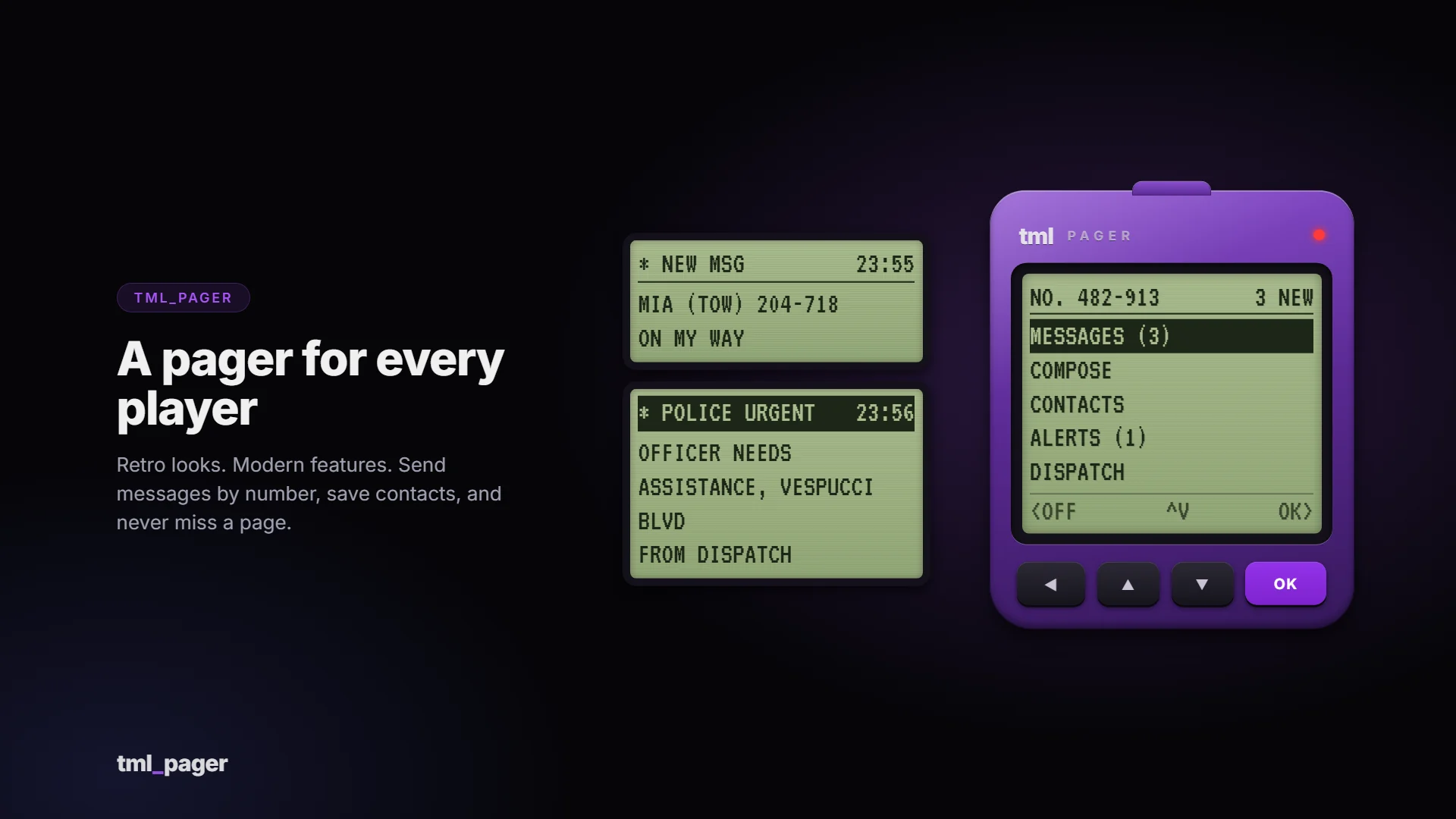
A pager for every player on your server. It looks like the real thing: a chunky translucent-purple pager, a green-grey LCD, four rubber keys. It works like a modern messaging system: every character gets a pager number, and players can send short messages, save contacts and never miss a page.
Features
- A pager number for every character, created automatically. Messages are sent by number.
- Short messages (80 characters by default, configurable) with a stored inbox: messages are delivered even if the receiver is offline, and unread ones are starred.
- Contacts: save numbers under names, then type the name instead of the number. Save an unknown sender straight from the message.
- Block spammers. Blocked senders still see “sent”, so they can’t tell.
- Reply in one press, or step through your contacts with up/down in the To field.
- Dispatch alerts: designated jobs or ACE groups can alert Police, EMS and Fire (all configurable). Alerts can be marked urgent, show as on-screen LCD strips, and responders press OK to respond, with a live “responding” count.
- Use it your way: command (
/pager), keybind (F10 by default) or an inventory item. Requiring the item is optional. - Fully retro UI, tiny footprint on screen, and easy to recolour: shell, LCD and button colours are CSS variables in one file (blue, graphite and amber-backlight looks are included as comments).
- Config and translations: everything is in one commented config file. English and Spanish included; add your own language by copying one file.
- Exports for developers:
SendPage (send a department alert from your own dispatch script) and GetNumber (look up a player’s pager number). - Update checker prints a console notice when a new version is out.
Requirements
- FiveM server with OneSync
- oxmysql (tables are created automatically, no manual SQL needed)
- A supported framework, or standalone mode using ACE permissions
Compatibility
The pager talks to your server through an open bridge layer, so it isn’t tied to one setup.
| Category | Included adapters |
|---|
| Framework | Qbox, QBCore, ESX, ox_core, ND_Core, vRP, standalone, custom |
| Inventory | ox_inventory, qb-inventory, ps-inventory, qs-inventory, codem-inventory, core_inventory, standalone, custom |
The bridge files are not encrypted: if your framework or inventory is unusual, or an included adapter needs a tweak, you can edit the adapter yourself. A blank custom adapter is included for anything else.
Installation
- Drop
tml_pager into your resources folder. ensure tml_pager after oxmysql, your framework and your inventory.- Start the server (database tables are created automatically).
- Optional: add the pager item for your inventory (ready-made snippets included).
A full install guide and config reference are included. Changelogs and update announcements are posted in the Discord.
Important: Cfx.re Asset Escrow
This resource is distributed through the Cfx.re Asset Escrow system. Please read before purchasing.
- The main client and server code is encrypted by Cfx.re’s escrow. It can’t be viewed or edited, and it can only run on a server whose license key belongs to the Cfx.re account that purchased it.
- These files are left open so you can customise them: the config file, language files, all bridge adapters (framework, inventory, target, notifications), the theme file (
theme.css), sound files, the install snippets and the documentation. - You need a Cfx.re (Keymaster) account and a server using that account’s license key. The resource will not run on a server registered to a different account.
- One purchase covers one server.
- Do not resell, share, leak or redistribute the files or the encrypted assets. Doing so violates the license and Cfx.re’s terms.
Purchase terms
- All sales are final: no refunds. Check the requirements and compatibility above, or ask in the Discord, before buying. Price drops and later sales are not refunded.
- Free lifetime updates, granted to the same Cfx.re account.
- No account transfers. Licences are not moved between Cfx.re accounts, so buy with the account that owns your server key.
- Chargebacks and leaks mean the licence is revoked and your accounts are banned from support and future purchases. Report leaks to [email protected].
- Payments are handled by Tebex, and anything not covered here follows Tebex’s terms.
Support
Support covers installation help, bugs in the shipped code and the documented config. It does not cover custom framework or inventory integrations, heavily modified forks, conflicts with unrelated scripts, general server setup or account transfers.
Join the Discord for support: https://discord.gg/RPzkXrDUEQ
Screenshots show the interface rendered with sample data.